Real DreamBug screens with fictional reader profiles. The cover opens product information, not a story page.

Bedtime starts
with a story.
Discover illustrated bedtime stories with DreamBug.
Choose a book, settle in, and read together.
Coming soon to iPhone & iPad
- No ads
- Works offline
- Parent controlled
113 illustrated books.
One app for story time.
Start with 3 free books. Membership opens the full library.
Choose a favourite, or find something new to read together.
- Read offlineBooks available without an internet connection.
- Keep their favouritesSave favourite books and return to their reading progress.
- Choose what they seeParents decide which books appear on each reader’s shelf.

Original illustrations. A reviewed collection.
These books are selected and reviewed before joining the library.
THREE THINGS TO KNOW
See what DreamBug
actually does.
Choose a chapter and open the cover.
Inside is the feature, explained clearly.


INCLUDED FREE
Try three complete books first.
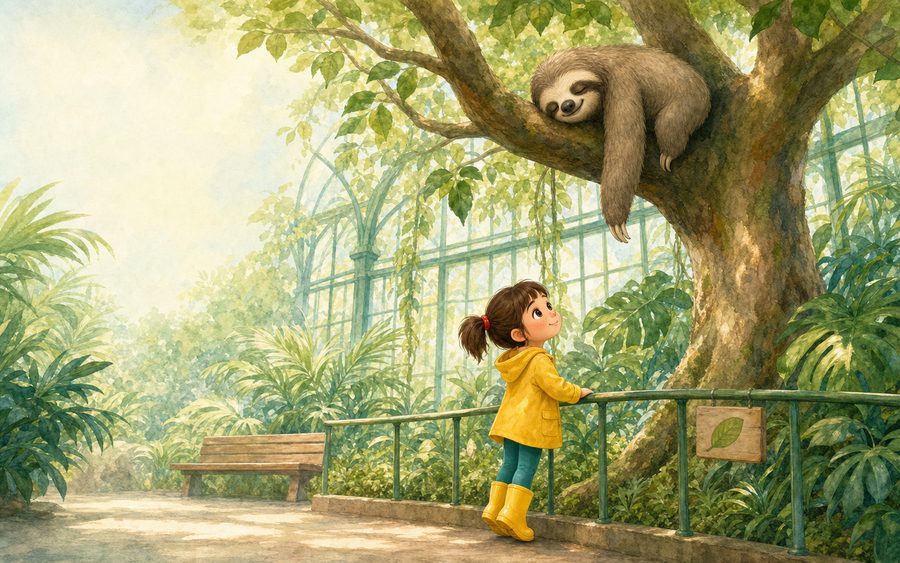
One More Bubble, The Sleepy Sloth and The Big Pumpkin are ready to read without a membership.
- No DreamBug account to create
- Works offline
- Parent controls included
Coming soon to iPhone & iPad
A large library.
A real review process.
DreamBug uses AI-assisted tools in book production, including illustration. People set the direction, review the result, request corrections and decide what reaches the app.
113complete books in the current app build
- 01
Check the manuscript.
Stories are built for defined age bands, with structure, length and vocabulary checks before they become books.
- 02
Review the illustrations.
Characters and settings use visual references for consistency. When a page is wrong, the production workflow records the problem and queues a correction.
- 03
Review the finished app.
The current release library was reviewed on-device before its titles were locked into the app build.
A documented correction
When the picture did not match the story, it was redrawn.
One Cloud Ship page showed a rocky island instead of the established cloud island. The problem was recorded, the page was regenerated, and the corrected version passed its verification check.
How AI is used
AI tools help create DreamBug books, including the illustrations. The books are prepared and reviewed before release; nothing is generated live while a child is reading.
Human editorial responsibility.
People choose what is published and can remove or correct work that does not meet the standard.
Choose which books
your child can see.
Show or hide individual titles. Choose age ranges.
Decide which collections to include, separately for each reader.

The “Choose stories” screen shows which books are available to Maya. The switch beside Bean and the Quiet Grove is on.
Shown at readable size. Swipe across the screen to inspect the controls.
Guided walkthrough using real app screens and fictional profiles. Use the buttons above to change the example; the screenshots themselves aren’t interactive. Use “View larger” to inspect the controls.
Parent settings and purchases sit behind a parent gate.
Children browse the shelf you’ve chosen. Grown-ups manage the settings.
Customise their
DreamBug library.
Put their name in selected stories. Choose the library background they like. Keep each reader’s favourites and progress separate.
- 1Put their name in selected stories
- 2Choose their library background
- 3Give each reader their own space
2
Choose their library background.
Change the scenery behind the shelf. The books stay exactly where they are.
DreambugMaya’s library
Where shall we go today?
A few favourites, waiting for you.
Their favourite stories. Their favourite view.
Big Sky selected · Three of the app’s library backgrounds
1Put their name
Put their name
in selected stories.
In eligible books, your child’s first name can take the place of a matching character’s name.
 The Cloud ShipA little excerpt
Emil and Astrid lived with Grandfather on a windy hill farm.
Original story name
What changes: the character’s name in the text.
What does not: the illustrations or the rest of the story.
Available only in selected stories when the character’s gender matches the child profile. This example uses a fictional profile.
3
Give each reader their own space.
Reader profiles keep favourites, reading progress and library settings separate.
Maya’s library
Own favourites · Own progress · Own shelf
Leo’s library
Own favourites · Own progress · Own shelf
Clear choices for parents.
More ways for the library to feel familiar to them.
07 · PRIVACY & SAFETY
No ads.
No account required.
Reading stays on their device.
DreamBug is a reading app, not an advertising network. Children can open their shelf without an email sign-up, and we do not add third-party analytics to watch how they read.
On your device
- Name and age band
- Favourites and progress
- Parent shelf choices
Used to make each reader’s library work.
Not sent to a DreamBug accountThere is no DreamBug account to create.
No advertising.
No banner ads, no sponsored stories and no advertising identifier.
Parent controls have a gate.
Parent settings and the subscription screen are kept separate from the child’s shelf.
Apple handles payment.
Subscriptions use your Apple account. DreamBug does not receive your card details.
For all the
“one more” nights.
Keep the favourites. Find the next adventure.
Choose the membership that fits your story time.
Illustrative comparison: print books to keep versus one year of digital access.
Prices shown in US dollars · Local pricing and availability confirmed in the App Store.
A MONTH AT A TIME
Monthly
A little flexibility for your family.
$7.99/ month
Billed monthly.
- Full DreamBug story library
- Up to 2 reader profiles
- Parent-chosen shelves
- Ad-free reading
A shorter commitment.
FOR YOUR EVERY-NIGHT RITUAL
Annual
A whole year of “read it again”.
$49.99/ year
About $4.17/month, billed yearly at $49.99.
- Full DreamBug story library
- Up to 2 reader profiles
- Parent-chosen shelves
- Ad-free reading
Save $45.89 vs 12 monthly payments.
MORE LITTLE READERS
Family
Their own shelves. One family plan.
$79.99/ year
About $6.67/month, billed yearly at $79.99.
- Full DreamBug story library
- Up to 6 reader profiles
- Separate favourites and progress
- Parent-chosen shelves, ad-free
More room for individual favourites.
Coming soon to iPhone & iPad. Membership gives access while your subscription is active. Subscriptions renew automatically unless cancelled; manage or cancel through your Apple account. No purchase is made on this website.
About the book-price comparison
This is an illustrative US-dollar comparison, not the average price of books online. Penguin Random House lists the hardcover edition of Thingamabob by Marianna Coppo at $18.99 (checked 19 September 2026). Three books at that price would total $56.97 before any tax or shipping; retailer prices and discounts vary.
Printed books are yours to keep. DreamBug’s $49.99 annual price is for one year of digital access to a different collection of original stories, not ownership of those printed titles. The DreamBug covers above show our library, not the comparison books. Annual savings of $45.89 compare $49.99 with 12 payments of $7.99 ($95.88).
QUESTIONS BEFORE STORY TIME
Questions parents ask.
Straight answers.
What you get, what parents control, and how the books are made.
Still wondering? Ask us


How many books are included?+
The current app build contains 113 complete illustrated books. Three books are free to read; an active membership opens the full library.
Can I choose which books my child sees?+
Yes. Parents can show or hide individual titles, choose age ranges and select collections for each reader profile.
What ages is DreamBug designed for?+
The current library is organised into four reading bands: ages 2–4, 4–5, 5–6 and 6–7. Parents decide which bands appear on each shelf.
Does it work without internet?+
Yes. The library is bundled with the app, so books can be read offline once DreamBug is installed.
What can be personalised?+
You can create separate reader spaces, choose a library background and, in selected stories, substitute a child’s first name for a matching character’s name. The illustrations do not change.
Are the books made with AI?+
AI-assisted tools are part of production, including illustration. People set the direction, review the finished books, request corrections and choose what reaches the app. Nothing is generated live while a child reads.
Do I need an account?+
No DreamBug account or email sign-up is required to read. Reader details, favourites, progress and shelf choices are kept on the device. Apple handles subscriptions through your Apple account.
Can I cancel or restore a subscription?+
Yes. Subscriptions are managed and cancelled through your Apple account. DreamBug can ask Apple to restore an eligible purchase on your device.

CONTACT DREAMBUG
Tell us what
you need.
Ask about the app, a subscription or privacy. Your message goes to the DreamBug team.
We use the details you send only to answer this message. This website form is separate from the child’s in-app reading data. Privacy details.